I just read the news about IBM aquiring Red Hat
What will this will mean for CentOS?
untony.orgInformix never forget 😉
Creation/Manipulation of tables:
CREATE TABLE tabelle (nummer int, text char(10), time datetime, date date); DROP table tabelle; ALTER TABLE table_name MODIFY (name char(100)); ALTER TABLE table_name ADD column_name column-definition;
can be positioned with AFTER/BEFORE
Unloading tables:
unload to '/home/content.csv' delimiter ';' SELECT * FROM content
Transactional Stuff:
BEGIN WORK; ROLLBACK WORK;
Query Time:
SELECT |ALL|DISTINCT|UNIQUE|FIRST FROM table (WHERE) GROUP BY columnname HAVING COUNT(**)>1 ORDER BY columnname (ASC|DESC), .... INTO TEMP tablename
WHERE-Clause:
bla (NOT) BETWEEN bla AND bla (NOT) IN (List, of, bla) bla (NOT) LIKE "bla" bla (NOT) EXISTS bla IS (NOT) NULL
to combine multiple selects
UNION
TO_CHAR transformation for query:
SELECT nr FROM numbers WHERE nr MATCHES "38*" Error 219: Wildcard matching may not be used with non-character types. SELECT nr FROM numbers WHERE TO_CHAR(nr) MATCHES "38*"
If you want to manipulate DNS-Entries before and without ISP-DNS Resolution you can do it with extra DNS-Server at your site. Best thing would be putting this DNS in DMZ-Zone.
e.g. Youre hosting WebEx and have one Public-URL to connect. Your Internal Clients will always route the traffic via Internet. To avoid this you can override the DNS – Resolving at your ISP with an own DNS. It’s also possible with your own Windows-DNS but… I like Linux 😉
Here I did with Linux, because its free:
Install BIND and configure named.conf
//
// named.conf
//
// Provided by Red Hat bind package to configure the ISC BIND named(8) DNS
// server as a caching only nameserver (as a localhost DNS resolver only).
//
// See /usr/share/doc/bind*/sample/ for example named configuration files.
//
options {
listen-on port 53 { 127.0.0.1; 10.1.10.100; };
listen-on-v6 port 53 { ::1; };
directory "/var/named";
dump-file "/var/named/data/cache_dump.db";
statistics-file "/var/named/data/named_stats.txt";
memstatistics-file "/var/named/data/named_mem_stats.txt";
allow-query { localhost; 10.1.0.0/16; 10.2.0.0/16; };
recursion yes;
//dnssec-enable yes;
//dnssec-validation yes;
//dnssec-lookaside auto;
/* Path to ISC DLV key */
//bindkeys-file "/etc/named.iscdlv.key";
//managed-keys-directory "/var/named/dynamic";
forwarders { 8.8.8.8; 8.8.4.4; };
};
logging {
channel default_debug {
file "data/named.run";
severity dynamic;
};
};
//zone "." IN {
// type hint;
// file "named.ca";
//};
include "/etc/named.rfc1912.zones";
Important parts of config:
Who is allowed to query this DNS?
allow-query { localhost; 10.1.0.0/16; 10.2.0.0/16; };
Forward-Adresses for DNS-Requests which cannot be handled/resolved by the local DNS
forwarders { 8.8.8.8; 8.8.4.4; };
For your linking your own zones:
include "/etc/named.rfc1912.zones";
If you do changes, dont forget to restart
/etc/init.d/named restartzone "override.untony.org" IN {
type master;
file "named.override.untony.org";
allow-update { none; };
};
and of course a file in /var/named called named.override.untony.org (in our example)
$TTL 86400@ IN SOA @ root (2013111501 ; serial1D ; refresh1H ; retry1W ; expire3H ) ; minimum@ IN NS localhost.@ IN A 194.232.104.3
When you now put this DNS Server in your Active-Directory DNS as a forwarder every Request which goes to override.untony.org will be resolved with 194.232.104.3 which us a total different site.
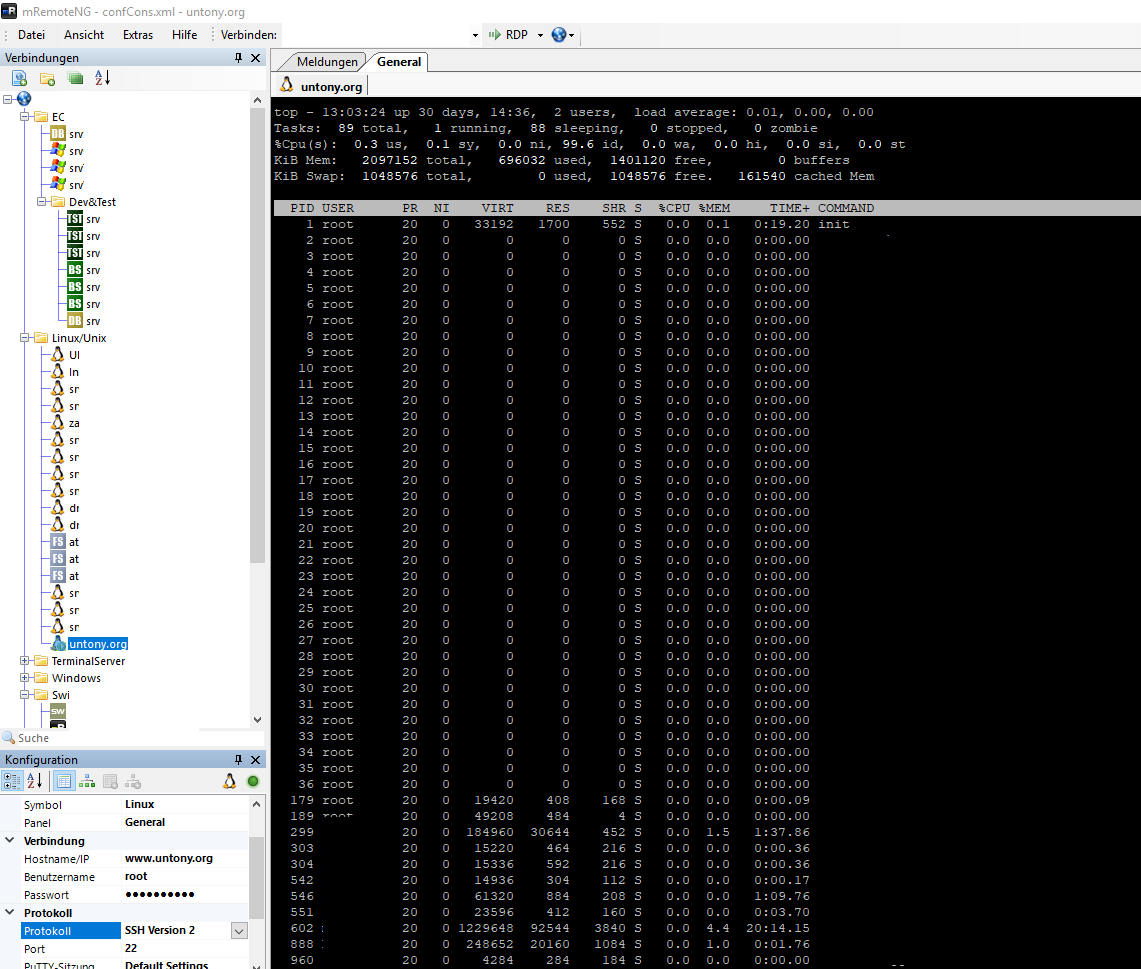
MRemote NG is in my opinion the best tool for managing your Remote Connections! (https://mremoteng.org)
Great tool to manage multiple SSH, Telnet, RDP, VNC, HTTP(S), etc
A few Impressions of my holiday in Portugal – Algarve in January 2018
Tired of winter in central europe, travel to algarve in january and book a nice location @airbinb
#/etc/apt/sources.list editing echo -e "\n# Clonezilla" >> /etc/apt/sources.list echo "deb http://drbl.sourceforge.net/drbl-core drbl stable" >> /etc/apt/sources.list # Add GPG-Key wget http://drbl.sourceforge.net/GPG-KEY-DRBL apt-key add GPG-KEY-DRBL #Update Packagelist apt-get update #drbl installation apt-get install -y drbl #Set up Clonezilla und drbl drblsrv -i drblpush -i
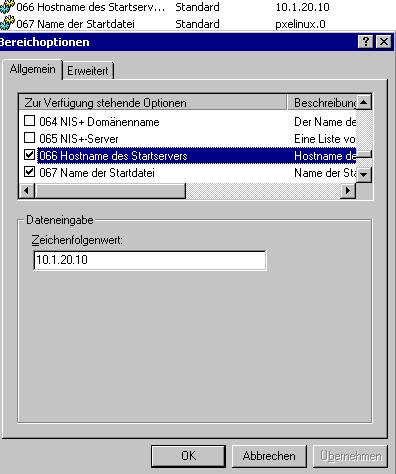
Inside of your DHCP you have to reconfigure:
For the neccessary scope.
Option 66 with IP Adress of cloning server
Option 67 with pxelinux.0
Install an Ubuntu or Debian Server first. Then start with Clonezilla SE Installation. Commands have to be executed by root
sudo -i
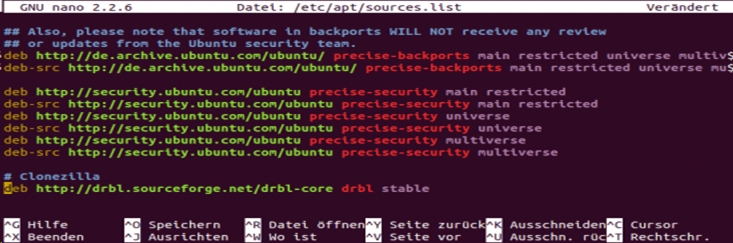
Add this Line in your /etc/apt/sources.list
deb http://drbl.sourceforge.net/drbl-core drbl stable
then import the GPG-Key
wget http://drbl.sourceforge.net/GPG-KEY-DRBL apt-key add GPG-KEY-DRBL
To renew sources do:
apt-get update
and install dbrl
apt-get install drbl
This should also install every dependencies
First start with configuring dbrl
drblsrv -i
Next step is:
drblpush -i
//backupserver/Linux_Backups /mnt/backup cifs credentials=/etc/cifspw 0 0
> Ubuntu 12
username=linuxmountpassword=linuxmountpassworddomain=DOMAIN
< Ubuntu 13
username=DOMAIN\linuxmountpassword=linuxmountpassword
#user='root' #password='youshouldcreateabackupuser' user=backup password='password' for db in 'mysqlshow -u $user -p$password | sed -n -e "s/^| \([^ ]*\)[ ]*|$/\1/p"' do mysqldump --opt -u $user -p$password $db > /mnt/backup/ /mysql/$db.sqldone
After creation do chmod a+x mysqlbackup.sh so that the script can be executed
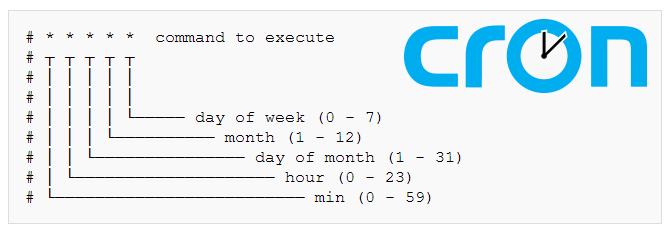
00 02 * * * root /usr/sbin/mysqlbackup.sh >/dev/null 2>&1
You need to open a command prompt window as an administrator, and then the directory you need to remove varies depending on the OS you’re working with:
rd /s D:\$Recycle.Binrd /s D:\recyclerNote: These commands reference the “D:\” drive. Each drive keeps its own Recycle Bin so you’ll need to run this for each drive letter that you want to empty.
After running the command you may notice that the Recycle Bin icon may not refresh immediately to reflect that it is empty. This is because you’re using a non-standard procedure to empty the Recycle Bin, but if you open it up the icon will refresh and you should see that there are no files in there.
Just a few commandos to remind:
| Command | Description |
sh run |
Show running Config |
sh switch |
Shows availability of cluster nodes |
sh conf |
Shows config (which is loaded when booting) |
sh mac address-table inter gi 1/0/20 |
Find out Mac Adress |
sh interfaces status |
Shows ports stats |
sh arp |
Address Routing Table (MAC/IP/VLAN/Age) |
wr |
writes running config |
| Reset port to default | |
conf t |
Konfigurationsmodus |
default interface gi/1/0/42 |
Port zurück auf Default |
default switchport access vlan |
|
| Activate port (shut/noshut) | |
conf t |
Config-Mode |
interface gi/1/0/42 |
Choose port |
no shutdown |
Activate port |
exit |
Exit conf mode |
sh interface status gi/1/0/42 |
Shows Port info |
| Config a port basic | |
conf t |
Config-Mode |
interface gi/1/0/42 |
Choose Interface |
description *****SEPPL***** |
Set Description |
exit |
Exit conf mode |
sh run int gi/1/0/42 |
Shows Port info |
| Config a port | |
conf t |
Config-Mode |
interface GigabitEthernet1/0/28 |
Choose Interface |
description AT-KL-PROD-AP07 |
Set Description |
switchport trunk native vlan 200 |
For trunk set native VLAN |
switchport trunk allowed vlan 60,90,200 |
For trunk set additional VLANs |
switchport mode trunk |
Set TRUNK active |
switchport nonegotiate |
For a faster (UP)Link |
switchport voice vlan 70 |
Set vlan 70 |
logging event trunk-status |
Logging for TRUNK |
spanning-tree portfast |
SPANNING TREE Protocoll portfast |
Copy running-config startup-config |
Copy running config to startup config (wr?)
|
Examples:
| VLAN 20 + 70 |
interface GigabitEthernet1/0/1 description ***20 VLAN*** switchport access vlan 20 switchport mode access switchport nonegotiate switchport voice vlan 70 mls qos trust dscp spanning-tree portfast |
| Trunked |
interface GigabitEthernet1/0/28 description TRUNKY TRUNKY switchport trunk native vlan 200 switchport trunk allowed vlan 60,90,200 switchport mode trunk switchport nonegotiate switchport voice vlan 70 logging event trunk-status spanning-tree portfast |
| ESX – Server |
interface GigabitEthernet2/0/23 description ESX-Server switchport trunk encapsulation dot1q switchport trunk native vlan 1999 switchport trunk allowed vlan 1,10,12,200 switchport mode trunk switchport nonegotiate logging event trunk-status mls qos trust dscp spanning-tree portfast trunk |